YouTube subtitle workflow
Prepare SRT/VTT subtitles for YouTube uploads
Keep your published wording stable by aligning a confirmed script to the final voiceover before you upload subtitle files.
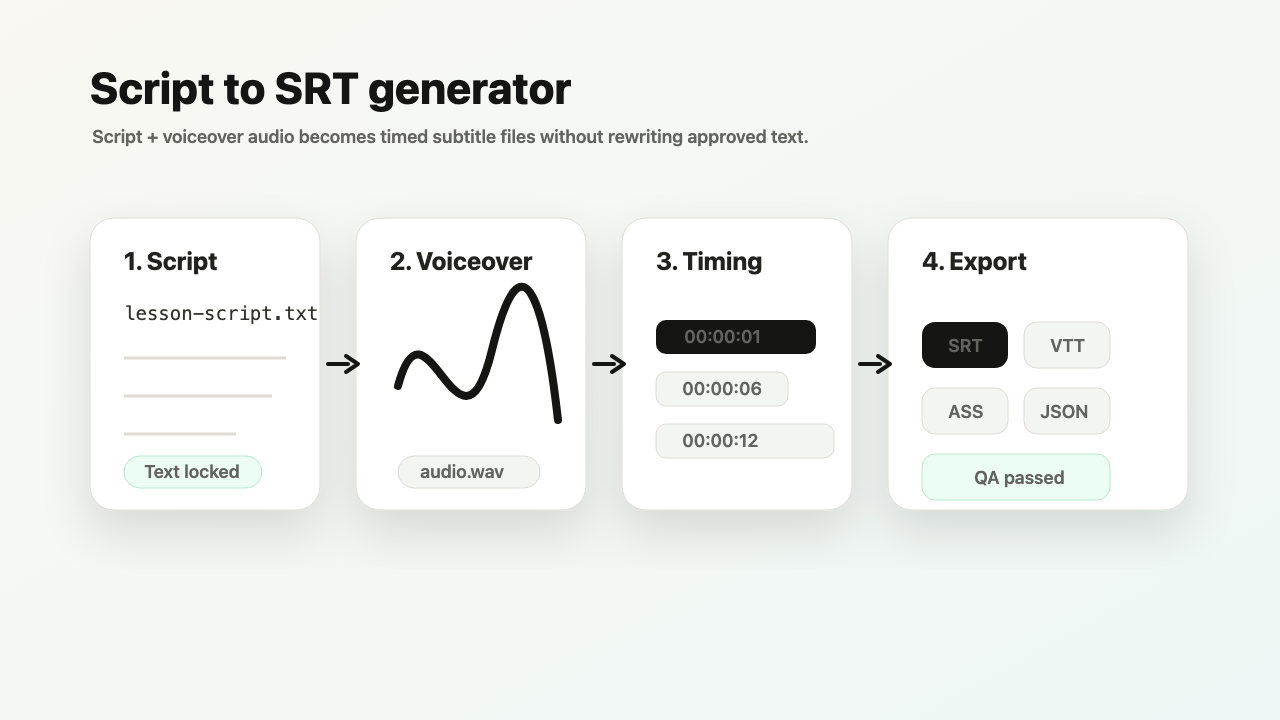
Input: youtube-script.md + final-audio.wav
Output: SRT/VTT with quality status and export preview.
Common quality signal: a late edit shifts the rest of the subtitle timeline.
Auto captions are convenient until they alter names, numbers, or product terms. TimedSubs starts from the approved script.
Where this workflow fits
Prepare SRT/VTT subtitles for YouTube uploads
TimedSubs should win when the words are already approved and the remaining work is timing, quality checks, and subtitle asset delivery.
Common searches
Downstream surfaces
Export formats
Workflow proof
- 1
Start from owned inputs
Input: youtube-script.md + final-audio.wav
- 2
Expose delivery risk
Common quality signal: a late edit shifts the rest of the subtitle timeline.
- 3
Prepare the handoff
Output: SRT/VTT with quality status and export preview.
Product boundary
This workflow creates subtitle assets and quality evidence. It supports downstream video work.
FAQ
Does this upload to YouTube for me?
No. TimedSubs is a subtitle preparation tool, not a YouTube publishing platform. It generates SRT or VTT files that are ready to upload manually through YouTube Studio. The file you download matches the approved script, passes quality checks, and uses the timing from your voiceover. Uploading to YouTube Studio and managing caption visibility remains your step.
Can I preview before signing in?
Yes. The public sample project at timedsubs.com/en/sample shows a real script-first result — the timeline, quality issues, subtitle lines, and export state — without requiring sign-in. You can also run a short anonymous trial to test the workflow with your own files before committing. Full project saves, all exports, and plan-based features require creating an account.