TTS subtitle workflow
Generate subtitles for TTS voiceovers
When the script created the voiceover, the subtitle tool should respect that script instead of treating the synthetic voice as unknown source text.
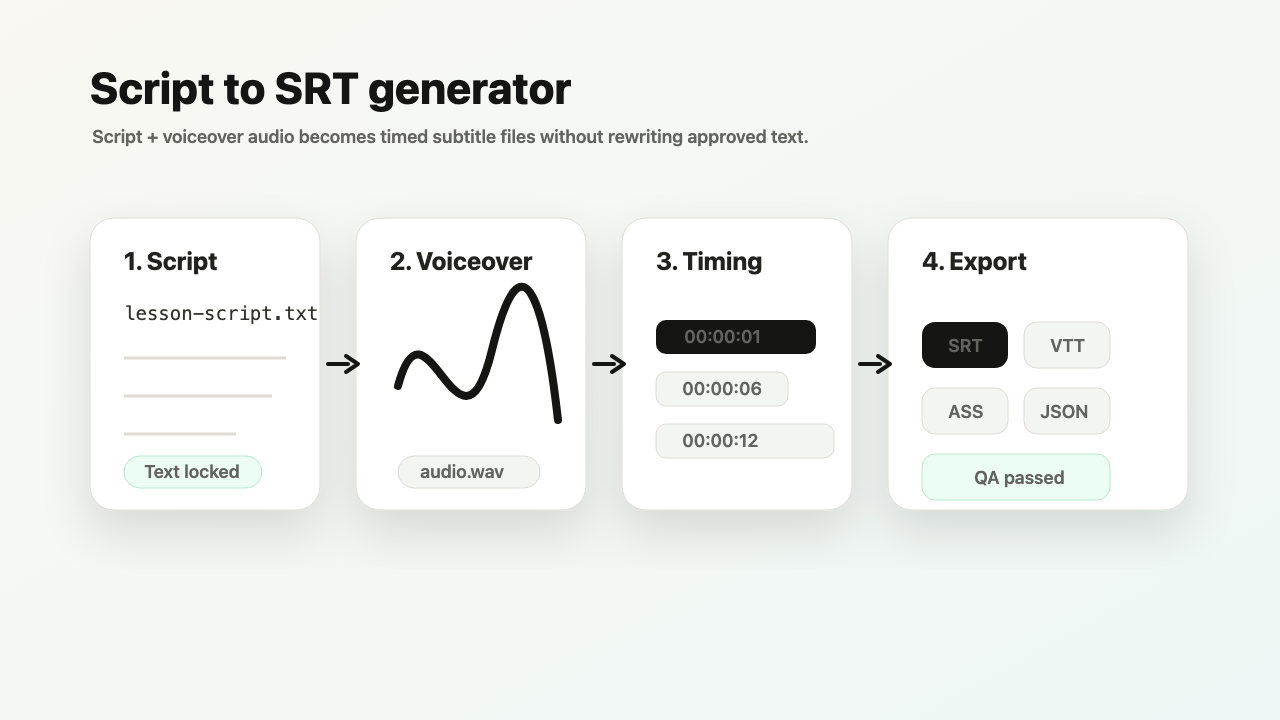
Input: tts-script.txt + generated-voice.mp3
Output: subtitle timeline, quality warnings, and SRT/VTT exports.
Common quality signal: TTS pacing creates uneven subtitle line durations.
TimedSubs aligns the known text to the voiceover; transcription-first tools may re-detect words that were never uncertain.
Where this workflow fits
Generate subtitles for TTS voiceovers
TimedSubs should win when the words are already approved and the remaining work is timing, quality checks, and subtitle asset delivery.
Common searches
Downstream surfaces
Export formats
Workflow proof
- 1
Start from owned inputs
Input: tts-script.txt + generated-voice.mp3
- 2
Expose delivery risk
Common quality signal: TTS pacing creates uneven subtitle line durations.
- 3
Prepare the handoff
Output: subtitle timeline, quality warnings, and SRT/VTT exports.
Product boundary
This workflow creates subtitle assets and quality evidence. It supports downstream video work.
FAQ
Why use script-first for TTS?
Because the exact text already exists. Re-transcribing it adds error risk without improving the source text.
Can I export JSON?
JSON export is available when your plan includes full formats.