Existing transcript + matching audio
Align a Transcript to Audio for SRT/VTT
Upload an existing transcript or approved script with its matching owned audio. TimedSubs preserves the submitted wording, derives subtitle timing from the recording, and surfaces skipped or changed regions for review before SRT/VTT delivery.
Use this workflow when the words are already correct and the remaining work is timing: place subtitle lines on the audio timeline, inspect mismatches, and prepare subtitle assets without asking a transcription system to guess the text again.
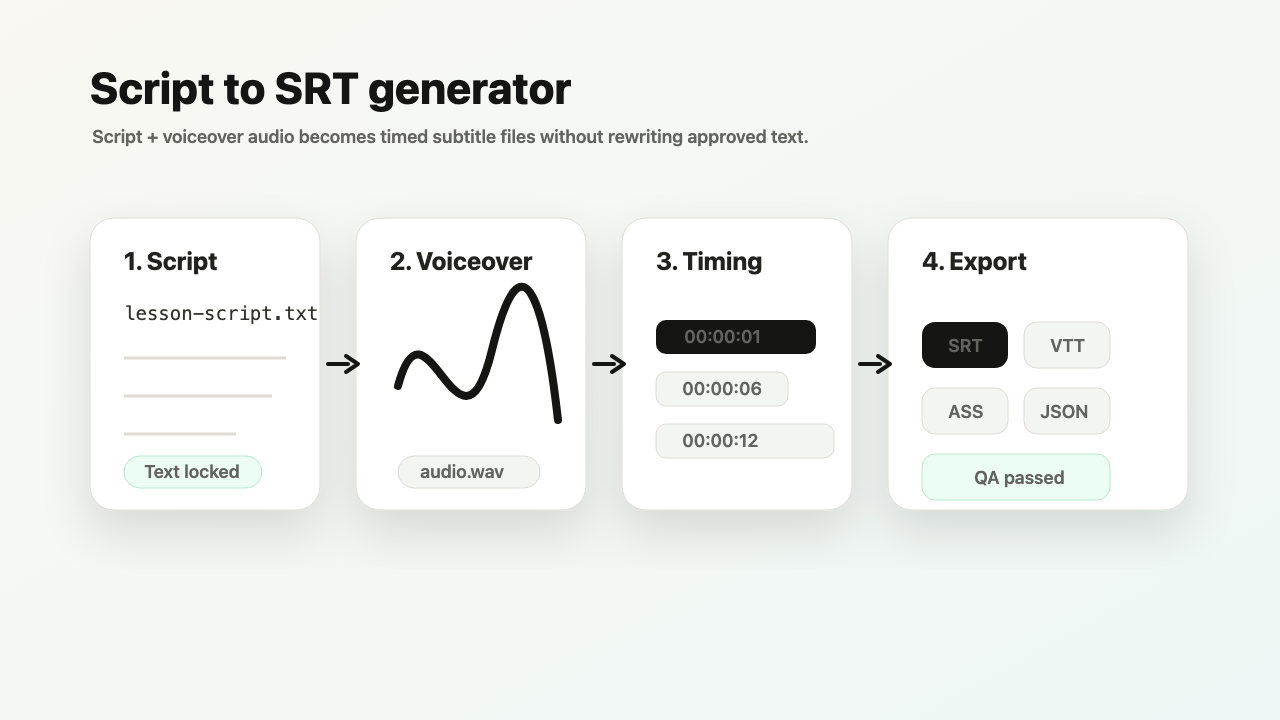
Input: approved product-demo.md or transcript.txt + matching final-narration.wav
Output: source-preserving subtitle timing, SRT/VTT exports, quality notes, and advanced formats when your plan allows them.
Common quality signal: the recording skips a sentence, changes a technical term, or reads a number differently from the submitted text.
Transcription-first tools discover words from audio. TimedSubs starts from the words you already trust and uses the recording as timing and mismatch evidence.
Where this workflow fits
Align a Transcript to Audio for SRT/VTT
TimedSubs should win when the words are already approved and the remaining work is timing, quality checks, and subtitle asset delivery.
Downstream surfaces
Export formats
Workflow proof
- 1
Start from owned inputs
Input: approved product-demo.md or transcript.txt + matching final-narration.wav
- 2
Expose delivery risk
Common quality signal: the recording skips a sentence, changes a technical term, or reads a number differently from the submitted text.
- 3
Prepare the handoff
Output: source-preserving subtitle timing, SRT/VTT exports, quality notes, and advanced formats when your plan allows them.
Product boundary
This workflow creates subtitle assets and quality evidence. It supports downstream video work.
FAQ
Can I align an existing transcript to audio?
Yes, when the transcript closely matches the spoken audio. TimedSubs treats the submitted text as the source of truth, aligns it to the audio timeline, and prepares subtitle files from that text.
Is this the same as forced alignment?
It addresses the same known-text-plus-matching-audio alignment problem from a subtitle-workflow point of view. TimedSubs packages the result for subtitle delivery with subtitle-line segmentation, quality signals, and exports instead of exposing only a research-format output such as TextGrid.
Is this audio transcription?
No. The submitted script or transcript stays as the source text; audio supplies timing evidence and mismatch signals. If you only have audio and need the words discovered first, use a transcription service before this workflow.
What should match?
The audio should follow the script or transcript closely: the same language, order, key terms, and roughly the same wording. Added, removed, or reordered lines can create visible review issues.
Why not use Whisper or auto captions?
Transcription is useful when the words are unknown. When wording is already approved, re-transcription can change names, technical terms, numbers, or disclaimers. This workflow keeps the submitted wording and uses audio to time and check it.