Script-first subtitle asset workflow
Turn a Voiceover Script and Matching Audio into SRT
Upload the approved voiceover script and its matching final audio. TimedSubs preserves the submitted words, derives subtitle timing from the spoken audio, surfaces mismatch and readability issues, and prepares SRT and other allowed exports.
Use this workflow when the words are already final and timing must follow the real recording. It is different from a text-only estimated draft and from transcription that guesses the words again.
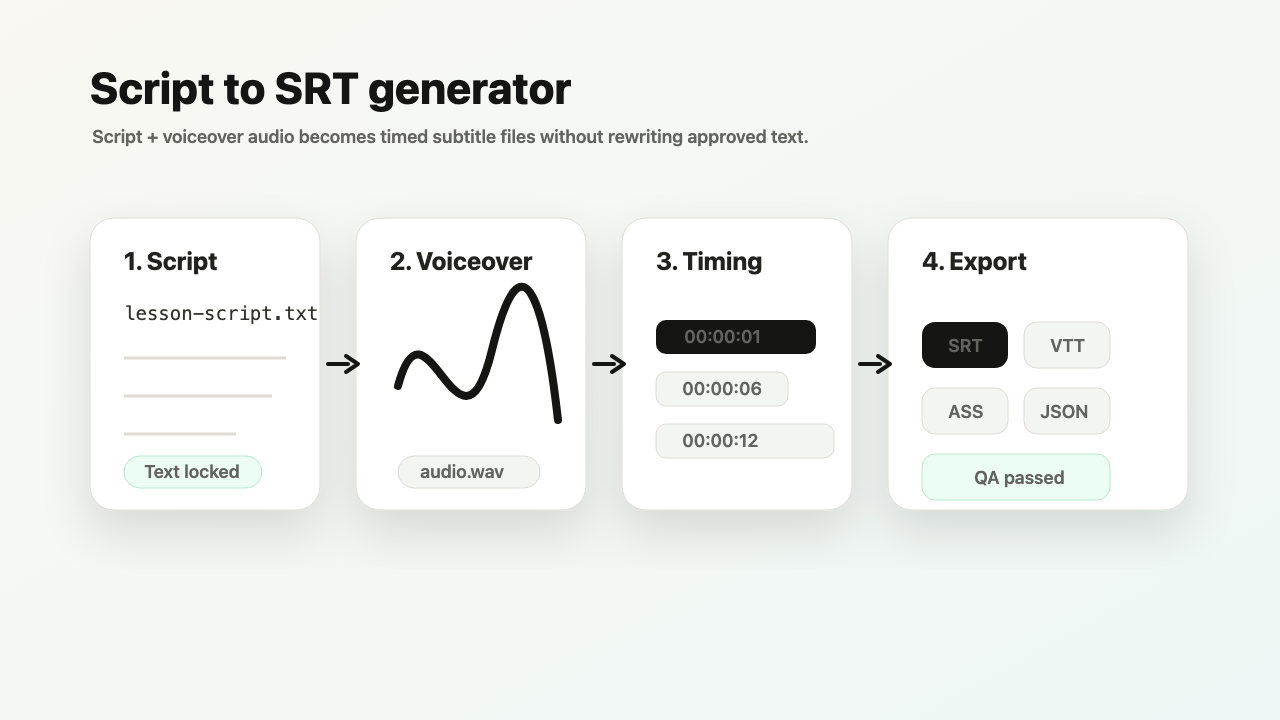
Input: webinar-script.txt + voiceover.mp3
Output: SRT, VTT, ASS, TXT, JSON, and ZIP when your plan allows it.
Common quality signal: a subtitle line is too short or reads too fast for viewers.
Transcription-first tools start by guessing the words. TimedSubs starts from the words you already approved and uses audio to time and verify them.
Where this workflow fits
Turn a Voiceover Script and Matching Audio into SRT
TimedSubs should win when the words are already approved and the remaining work is timing, quality checks, and subtitle asset delivery.
Downstream surfaces
Export formats
Workflow proof
- 1
Start from owned inputs
Input: webinar-script.txt + voiceover.mp3
- 2
Expose delivery risk
Common quality signal: a subtitle line is too short or reads too fast for viewers.
- 3
Prepare the handoff
Output: SRT, VTT, ASS, TXT, JSON, and ZIP when your plan allows it.
Product boundary
This workflow creates subtitle assets and quality evidence. It supports downstream video work.
Need a lower-commitment path first?
Learn the SRT structure, or make an estimated text-only draft before you have matching audio.
FAQ
Will it rewrite my script?
No. TimedSubs treats the submitted script as the authoritative source text throughout the workflow. Audio analysis builds the timing layer and flags mismatch signals, but it does not replace or rewrite any words from the original script. Your approved wording reaches the exported subtitle file exactly as written.
Can I export immediately?
Not immediately — subtitle files only become available after quality checks confirm the timeline is delivery-ready. Overlapping lines, negative durations, or readability issues that block export remain visible until resolved. Once quality checks pass, SRT and VTT exports are available on all plans; fuller formats (ASS, SBV, JSON, ZIP) unlock on Creator and above.