Timing repair
Fix drifting SRT and VTT subtitle timing
Dedicated timing repair for existing SRT/VTT files is a roadmap workflow. Today, use Script + Audio when you still have the approved script and matching voiceover.
This subtitle timing fixer page explains the repair path for drifting SRT/VTT files while keeping the current product boundary clear: dedicated existing-file timing repair is roadmap, and the live fix is regenerating timing from approved script and matching audio.
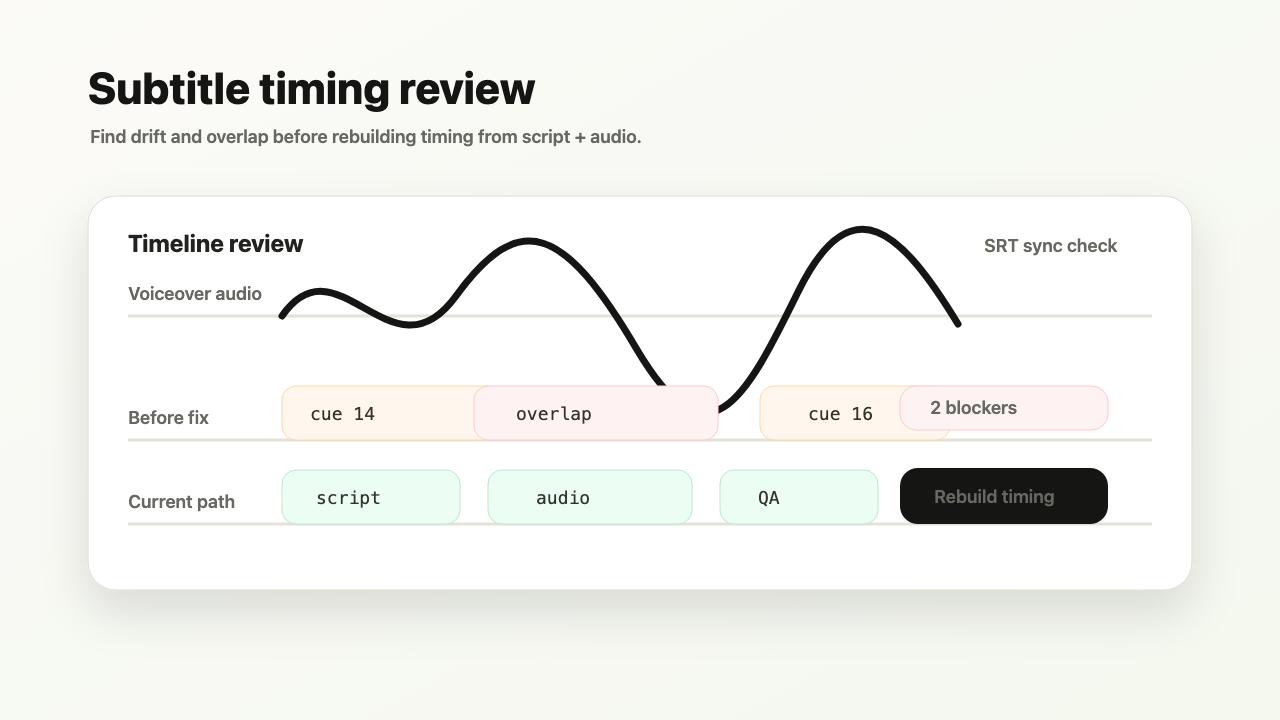
Roadmap input: old.srt or old.vtt + matching audio, with source script when available.
Planned output: repaired subtitle line timing after quality checks. Current path creates new timing from script + audio.
Planned quality signal: overlapping subtitle lines after a voiceover edit.
Generic editors make timing repair a manual drag-and-drop chore. TimedSubs is designed to expose the timing defect as a delivery issue.
Where this workflow fits
Fix drifting SRT and VTT subtitle timing
TimedSubs should win when the words are already approved and the remaining work is timing, quality checks, and subtitle asset delivery.
Common searches
Downstream surfaces
Export formats
Workflow proof
- 1
Start from owned inputs
Roadmap input: old.srt or old.vtt + matching audio, with source script when available.
- 2
Expose delivery risk
Planned quality signal: overlapping subtitle lines after a voiceover edit.
- 3
Prepare the handoff
Planned output: repaired subtitle line timing after quality checks. Current path creates new timing from script + audio.
Product boundary
This page explains a roadmap workflow. Use Script + Audio for current subtitle timing or contact support before promising this path to clients.
FAQ
Where does timing repair fit?
It is a roadmap workflow next to the current Script + Audio alignment path.
What can I use now?
If you have the original script and voiceover, create a Script + Audio project and export fresh subtitle assets after quality checks.