SRT timing quality
SRT timing fixer for delivery checks
Dedicated SRT repair is a roadmap workflow. The current workflow generates subtitle timing from a submitted script and matching audio.
Use this page to understand SRT sync, subtitle time shift, and out-of-sync subtitle repair decisions. The live TimedSubs workflow creates new SRT/VTT timing from approved script plus audio; existing-file repair stays on the roadmap.
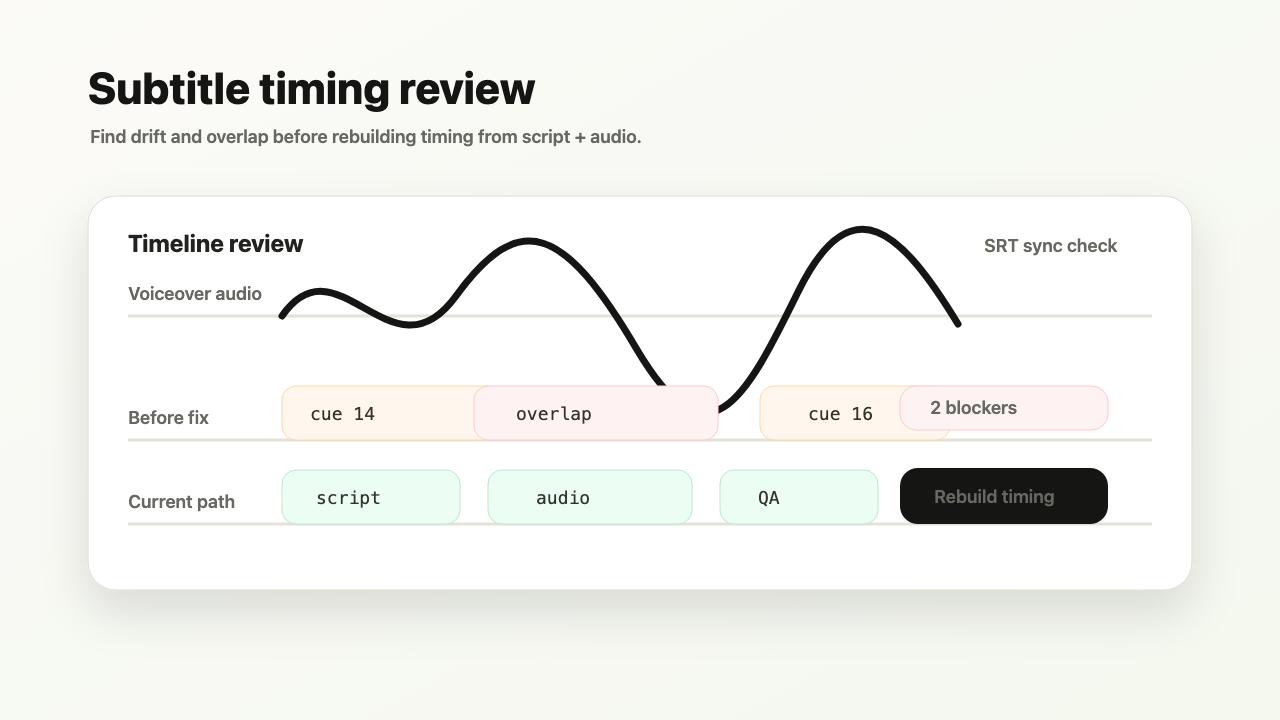
Roadmap input: lesson.srt + lesson-audio.mp3. Current input: script text or TXT/MD + audio.
Planned output: validated SRT/VTT plus quality-report signals. Current output: generated SRT/VTT after Script + Audio quality checks.
Planned hard blocker: a negative duration or overlapping subtitle line blocks export.
Transcription-first captions can hide timing defects behind a transcript. TimedSubs treats subtitle validity as a delivery gate.
Where this workflow fits
SRT timing fixer for delivery checks
TimedSubs should win when the words are already approved and the remaining work is timing, quality checks, and subtitle asset delivery.
Common searches
Downstream surfaces
Export formats
Workflow proof
- 1
Start from owned inputs
Roadmap input: lesson.srt + lesson-audio.mp3. Current input: script text or TXT/MD + audio.
- 2
Expose delivery risk
Planned hard blocker: a negative duration or overlapping subtitle line blocks export.
- 3
Prepare the handoff
Planned output: validated SRT/VTT plus quality-report signals. Current output: generated SRT/VTT after Script + Audio quality checks.
Product boundary
This page explains a roadmap workflow. Use Script + Audio for current subtitle timing or contact support before promising this path to clients.
FAQ
Where does existing SRT repair fit?
Dedicated SRT file repair — where you upload an existing subtitle file and fix its timing against audio — is currently a roadmap item. The live workflow in TimedSubs starts from a script and audio together to produce fresh subtitle timing. If you still have the original approved script and voiceover, the Script + Audio workflow produces a clean subtitle timeline that replaces the need for timing repair.
Will generated bad files export?
No. TimedSubs blocks export when subtitle lines contain issues that would create delivery problems: overlapping subtitle lines, negative durations, or lines that fail structural validation. These issues appear in the quality panel with specific reasons. Once the project is re-processed or the blocking conditions are resolved, the export option becomes available. Passing quality checks is required to download any subtitle asset.